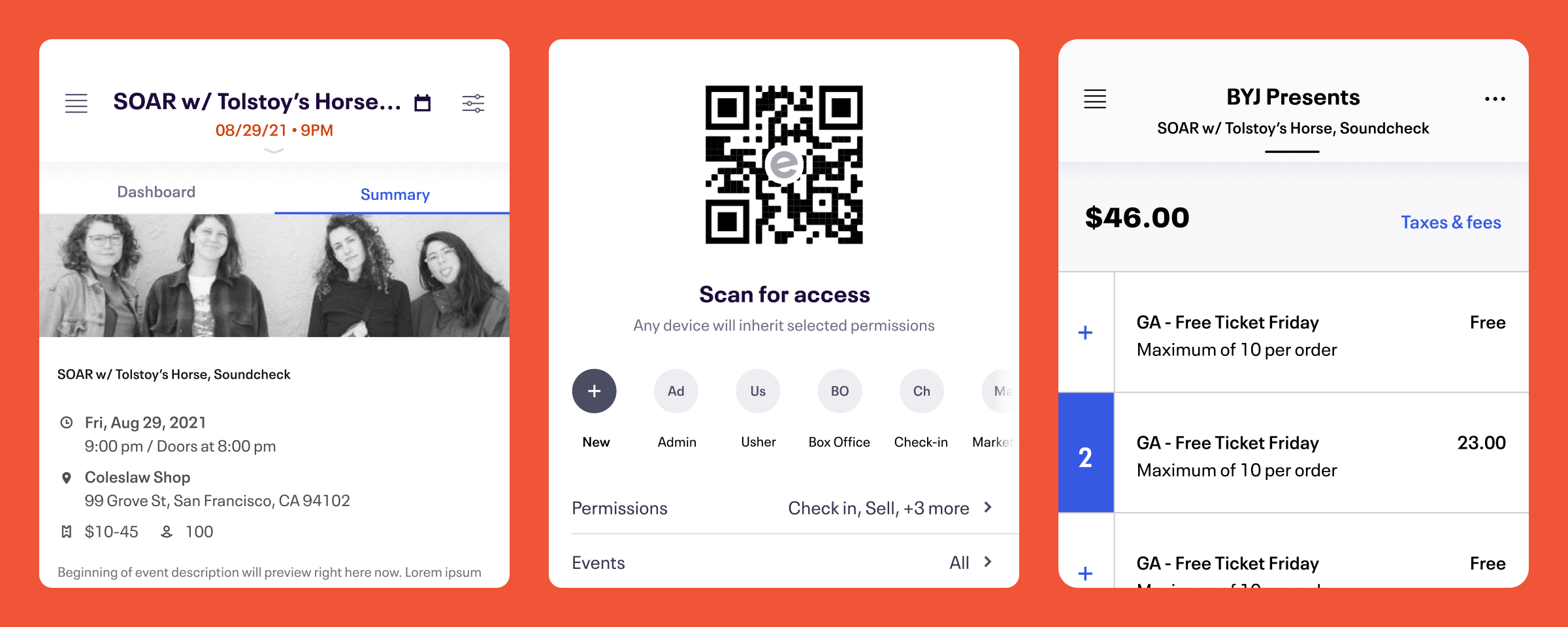
Organizer App
App vision and strategy for Eventbrite
Overview
For the latter part of 2020, I led design and served as product manager for the Eventbrite Organizer App, a native app (iOS & Android) event organizers use primarily for attendee check-in and ticket sales. I formed a long-term vision and gained stakeholder buy-in, set success metrics, and established a roadmap for the team.


Design, PM, Synthesis
Organizer App Team (US)
iOS, Android
2020
Overview
For the latter part of 2020, I led design and served as product manager for the Eventbrite Organizer App, a native app (iOS & Android) event organizers use primarily for attendee check-in and ticket sales. I formed a long-term vision and gained stakeholder buy-in, set success metrics, and established a roadmap for the team.
Design, Product Management, Synthesis
Organizer App Team (US)
iOS, Android
2020
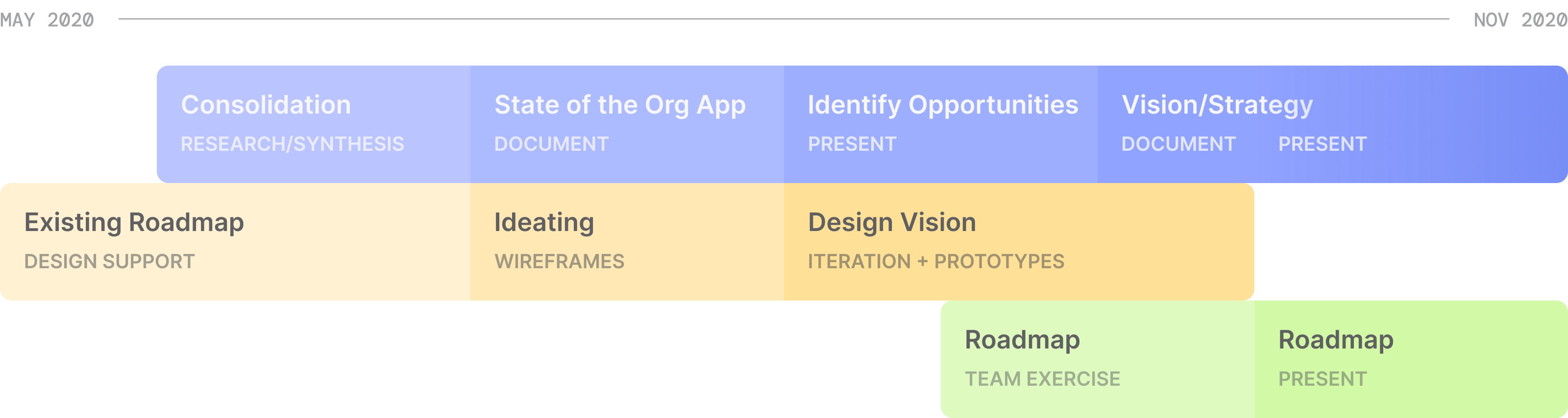
General timeline of what I got up to while on the Organizer App team.
Background
Due to Covid-19, Eventbrite underwent significant prioritization and organizational shifts. Bamely, they were moving away from their focus on Music Clients and toward self-service creators. With these shifts, I moved to the Organizer App team as designer and ultimately served double duty as designer and product manager. With the app's previously-established roadmap rendered less relevant*, I had the opportunity to start defining the future of the Eventbrite Organizer App.
* The previous strategy was largely focused on Music and managed clients.
Getting acquainted
There was a lack of direction when I first joined the team. In addition, we had 80% fewer devs than we did before Covid-19 layoffs and no backend support. This reduced capacity had the team moving a lot slower than it was previously, but it also gave me time to dig into the app and how creators were feeling about it.
State of the Org App
I sifted through disparate research and feedback sources (Product-Market Fit research, Jobs to be Done, Medallia comments, feature requests, etc.), noted themes, and consolidated findings to help us understand what the app was doing well and what people really wanted from it.
OUTPUT
- It educated new members of our team (myself and our PM)—as well as stakeholders—on where the app stood.
- It caused us to re-evaluate our immediate priorities and how we were allocating team resources, reducing what might have been throwaway work.
- It provided me with leverage I needed to highlight our areas of opportunity and ultimately establish next steps.
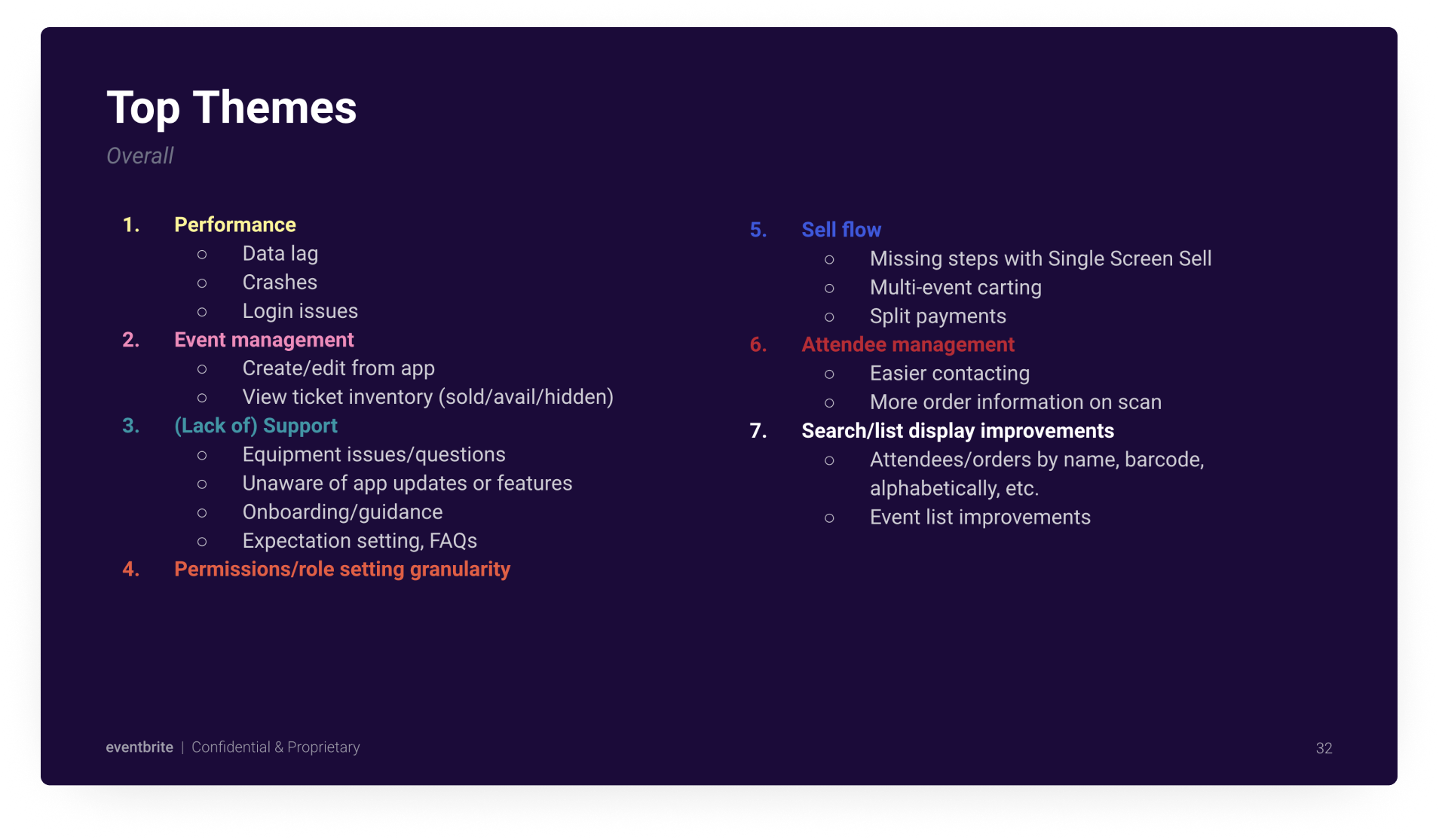
Seven main themes, which emerged from research consolidation, highlighted our areas of opportunity for the Organizer App.
Slide from Vision presentation
Super-Creator Focus
Meanwhile, with Eventbrite's shift away from high-touch clients came our focus on “Super Creators": self-service organizers who host events frequently, and often have event programs. These were our primary users now, and facilitating multi-event management was paramount.
Vision
Given our findings, I outlined a couple paths the Org App could take forward:
A. Keep things Mild 
Maintain focus on day-of-show, at-venue tasks.
Organizer App is your mobile box office: sell, manage orders, and streamline event access.
Could include:
- Smarter event dashboard; closer parity to web
- Settlement / box office report
- Ticket transfers
- Event summary
- Multi-event carting
- Scan/entry management improvements
- At-event team managementScan QR code for permissions
- Shift management
- Notifications: sales, updates to guest list
Does NOT include:
- Robust reporting
- Event- or ticket-editing capabilities in-app
B. Make it Spicy 
We’ve historically thought of Org App as a retention tool, but do we want to keep it that way? This is a tool creators need to use as a POS and ingress management, but there is potential to make it a tool creators want to use, beyond the box office.
Partner throughout the event lifecycle.
Organizer App is everything you need to monitor and manage your events, from anywhere.
Could include:
- More reporting; across events
- Smarter, customizable dashboard
- Edit tickets
- Edit event details
- Publish/schedule publish
- Cross-device messaging
- Notifications: Read & resolve any from web, sales + event edits/updates, app updates
- Booking (if EB pursues)
Does NOT include:
- Email / marketing campaigns
- Advanced reporting: historicals, comparing events
- Cross-organization operations (maybe someday)
- Organization settings (payouts, etc.)
Strategy
Regardless of how we decided to evolve the Organizer App in the future, we knew that our focus was on better meeting the needs of Super Creators.
Select Initiatives
I outlined and roadmapped a few initiatives to keep us moving in the right direction, which were not contingent upon securing the business's blessing to dramatically evolve the app's offerings.
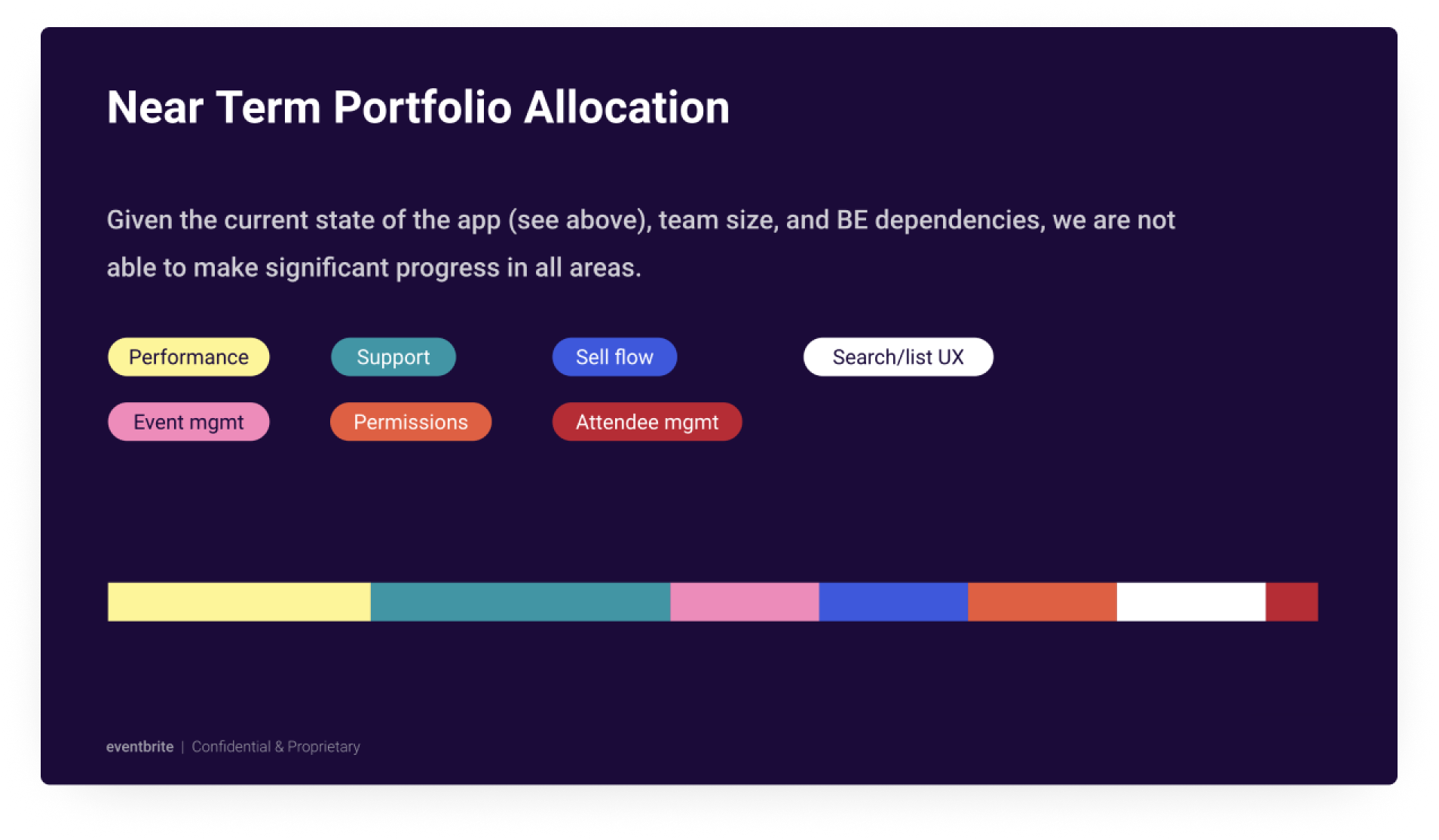
The roadmap aligned with the opportunities I distilled from user feedback and traits research.
Slide from Vision presentation
1. EVENT SUMMARY
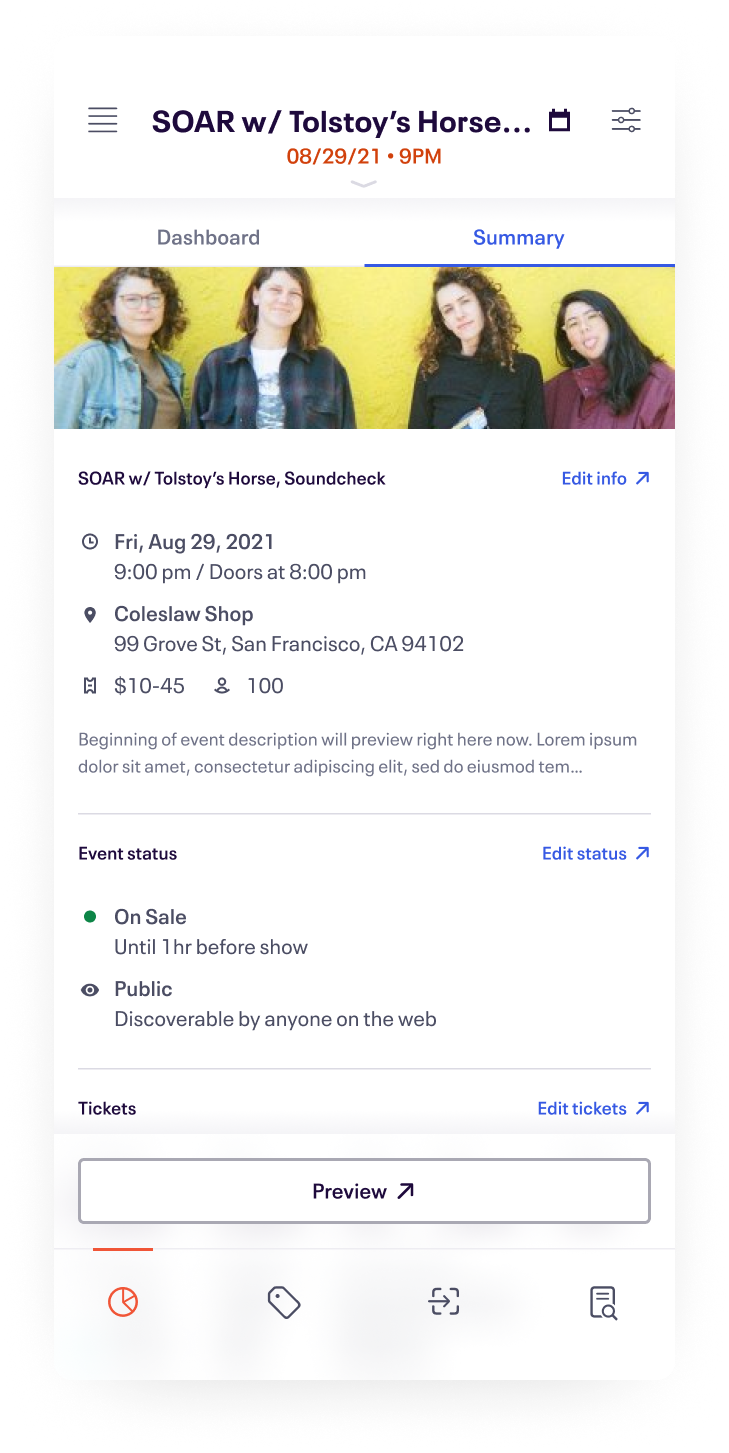
Organizers aren't able to view ticket type details from the app. They’d like to see things like ticket sale end times, waitlist numbers, and tickets remaining within tiers. Super Creators are frustrated by their inability to make changes on the fly [from the Organizer App]. They don’t necessarily receive—or share—all event details at the same time, and want to update their listings accordingly.
Why it matters
- Creators can keep a more detailed pulse on their events from anywhere, and make decisions accordingly
- Will indicate value of more seamless access to event editing
2. Scan for permissions
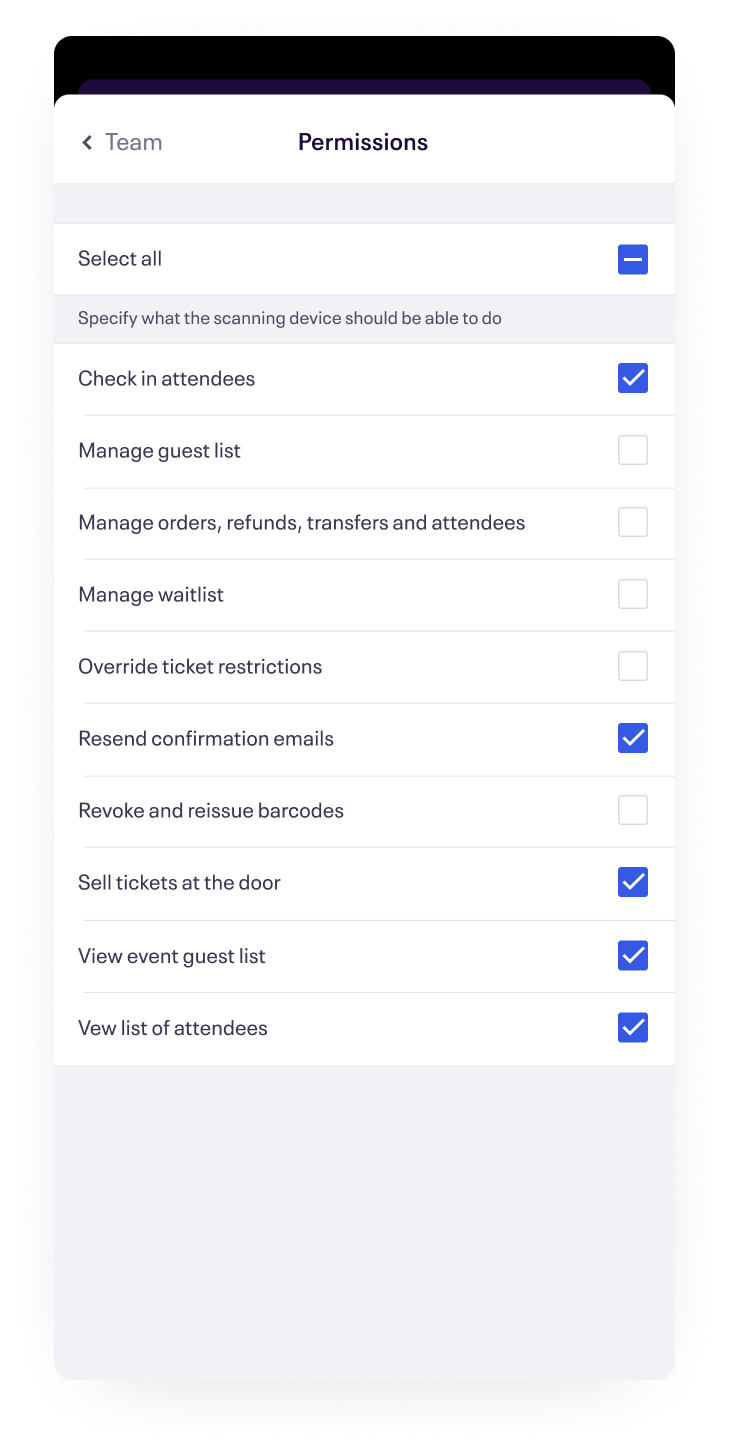
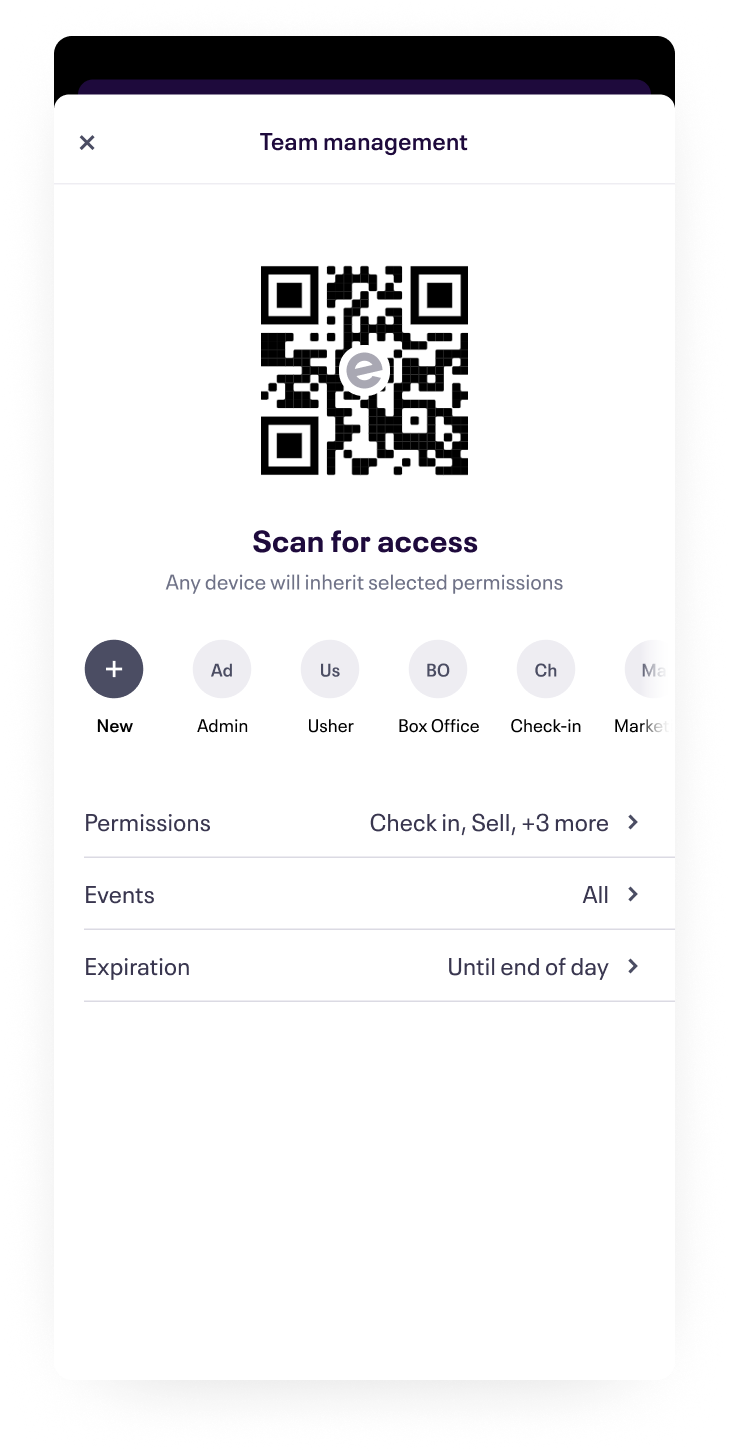
Super Creators often depend on [impermanent] staff to complete transactions and manage entry through the Organizer App. Creators want to be able to “set and forget” devices and app settings and entrust staff to operate within their business, without distributing sensitive login information.
Why it matters
- More secure: No need for post-its with login information, no concern for staff accessing information they shouldn’t
- More economic: Accessible to any iOS or Android device; creators potentially don’t need to have extras on hand
- Opens up access without navigating Permissions
3. cross-event notifications
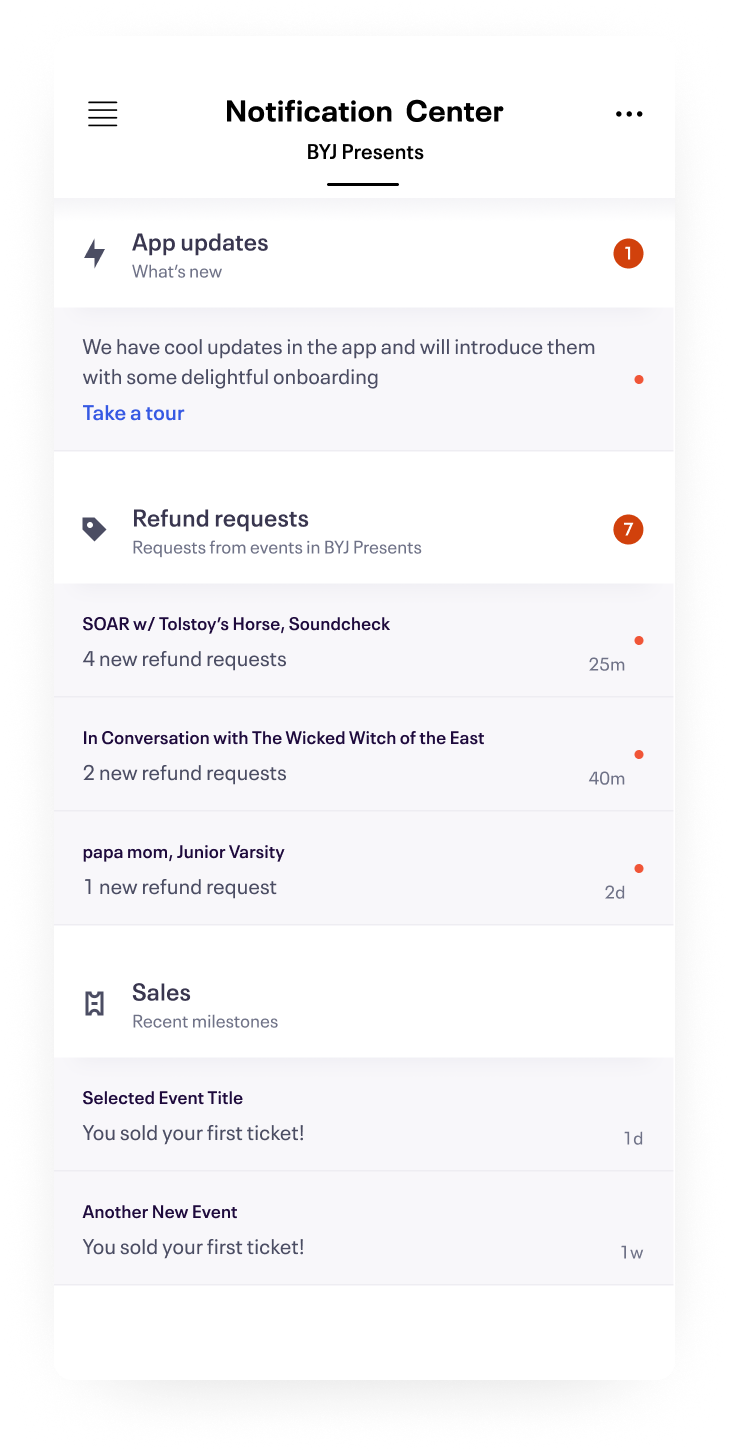
Some creators want to be notified at various points of the event lifecycle, like when they breakeven on sales or when a VIP arrives. All creators, as well as Eventbrite's client success teams, would benefit from app update notifications to ensure that they’re getting the best new features and improvements.
Why it matters
- Notify creators of app updates (third highest request of VoC)
- Serves as an onboarding entry point for new features
- Moving refund requests out from event-level
- Notify certain roles of other significant event updates
Maintenance Mode
Due to limited resources, the Organizer App was put into more of a maintenance mode in 2021. I was moved to support two other teams as a designer, and the developers were focused on building out a stronger platform team.
Let's connect

