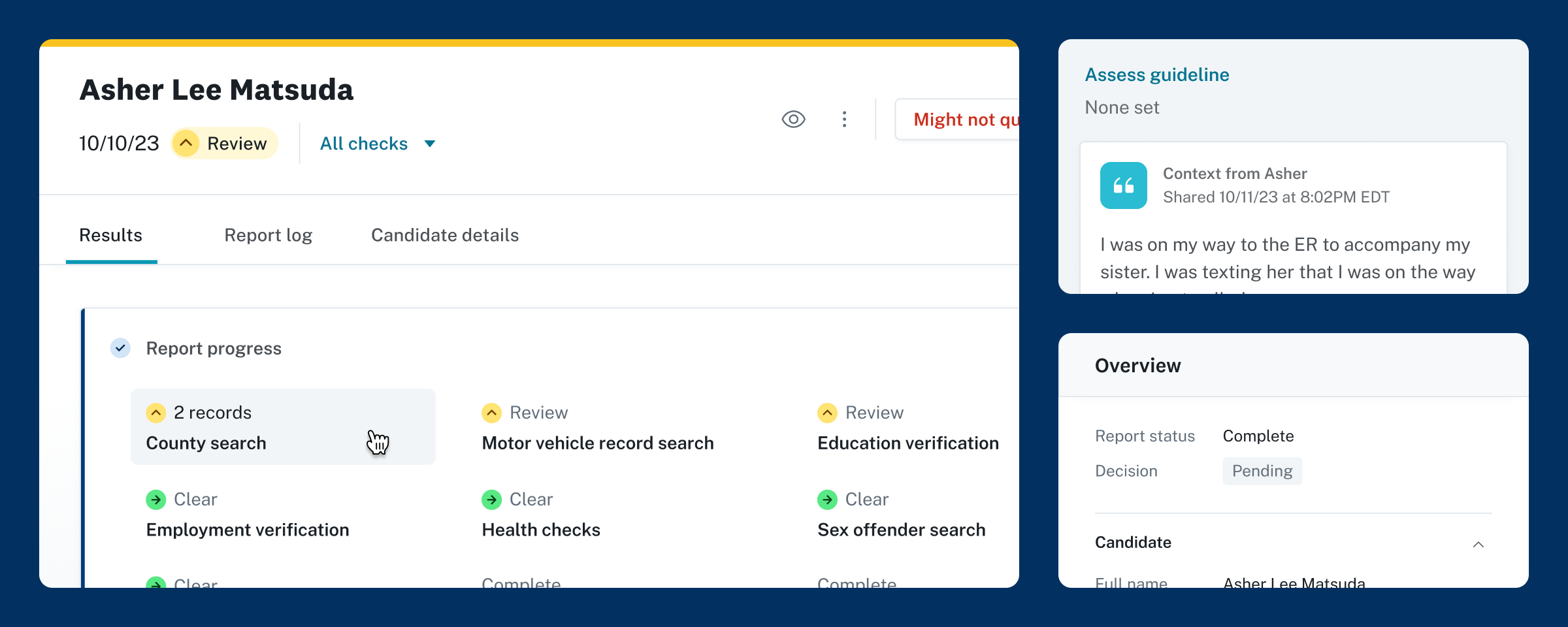
Report redesign
Product redesign for Checkr
Overview
I holistically redesigned the background check report page to elevate the most important information and actions, streamline jobs to be done, move our design vision (and system) forward, and plant seeds for a stronger, more trusting relationship between Checkr and employers.
Key outcomes
🔗 Simplified reviewing and adjudicating workflows
🔗 Extensible design system
🔗 Increased awareness and adoption of retention-driving features
📈 Estimated +$2.5M in annual revenue potential
Scope
👋 Product design, research, strategy
🧑🧑🧒🧒 Retention team (US, UKR)
💻 Web app
🗓️ July – Nov 2023
Background
Feature
The report page is where employers review background check results; it's the make-or-break in onboarding new employees.
UX Challenge
Make it easier for customers—from small business owners to dedicated adjudication teams—to access and interpret the information they need from a report.
Ownership
I led this project through design, with heavy contributions to product work and research. I worked with UX research, engineering, and multiple cross-functional partners.
Problems
Dis-organization
UX lacked hierarchy, and failed to match the mental models of any given customer segment.
Self-service customers were overwhelmed with content, while Enterprise used workarounds to access the information they needed when they needed it.
Experience bloat
Beyond criminal background check results, the page tacked on a handful of different screening types and 5+ adjacent features over the years—without a clear foundation for scaling.
95% of customers weren't documenting hiring decisions in Checkr.
→ Customers weren't benefitting from built-in compliance processes.
→ Checkr and its customers were missing out on valuable decision data.
Customers were confused by a page intended to provide answers.
→ $100k/year spent resolving support tickets caused by lack of clarity on the report page.
→ Customers were missing the value of a modern background check view.
Process
Research and discovery
In close partnership with a UX researcher, I spoke to dozens of report page users and contributors.
Internal interviews
I spoke to subject matter experts to better understand customer challenges and "gotchas" related to reports.
Product owners of specific screenings we offer; support representatives; legal experts.
adjudicator shadowing
I observed workflows for customers of all sizes, as well as non-customers using other tools.
Enterprise teams who do most of their work in Checkr → self-service background check novices.
Concept testing
I iterated on a variety of concepts for reports, gathering feedback and making changes between sessions.
I pushed to identify the boundaries of too-much and too-little information.
System and layout strategy
I completely redesigned how background check reports show up in the Checkr dashboard. Take a look at a few of the key design decisions, or scroll ahead to play with a prototype.
System and layout strategy
I completely redesigned how background check reports show up in the Checkr dashboard. Take a look at a few of the key design decisions below.
Key decision #1
Fixed header gets to the first things first
Users can confirm key report information—the candidate they're reviewing, overall report status, available actions—on a report from anywhere on the page.
This foundational information was previously scattered throughout the scrolling page.
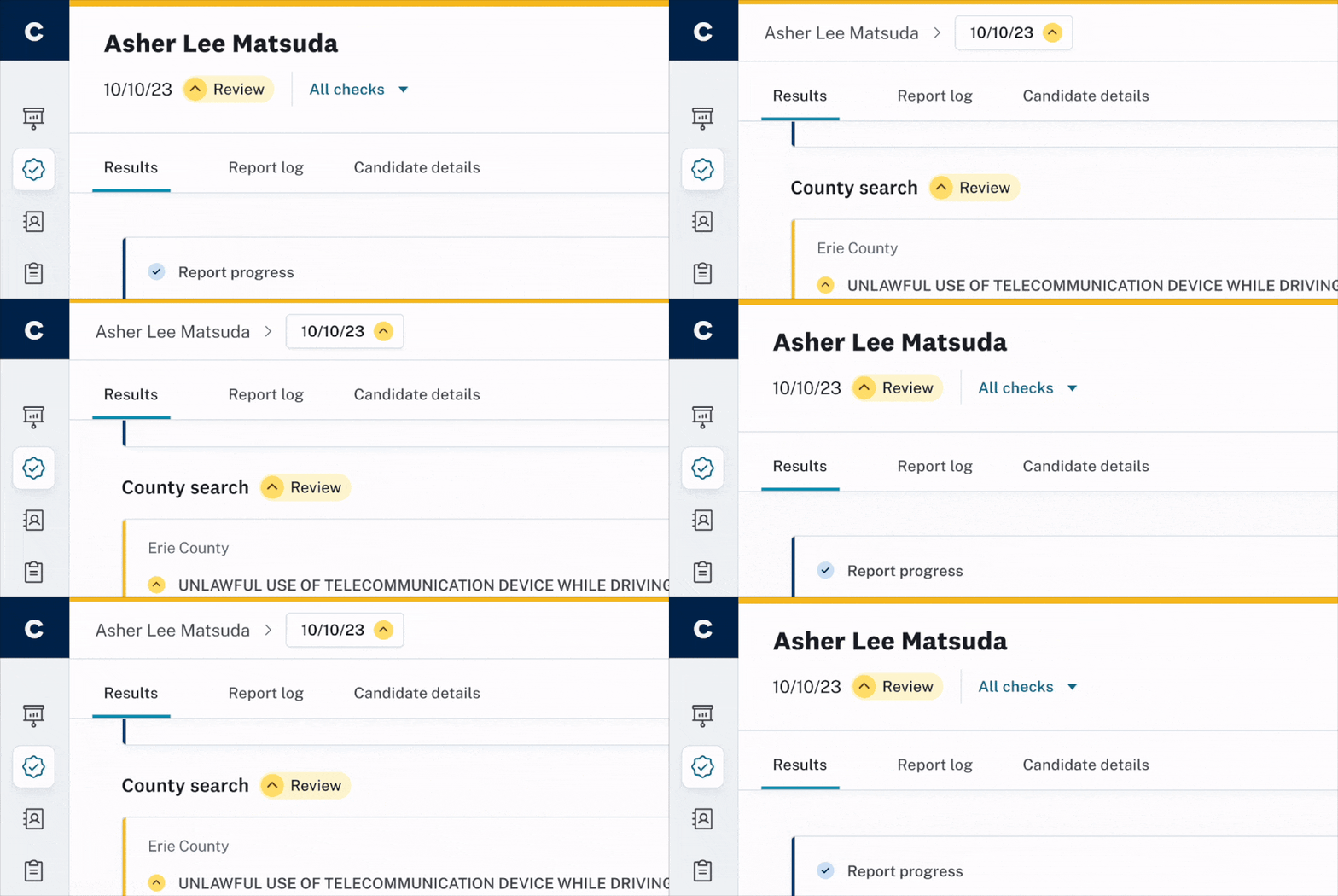
Header shrinks on scroll
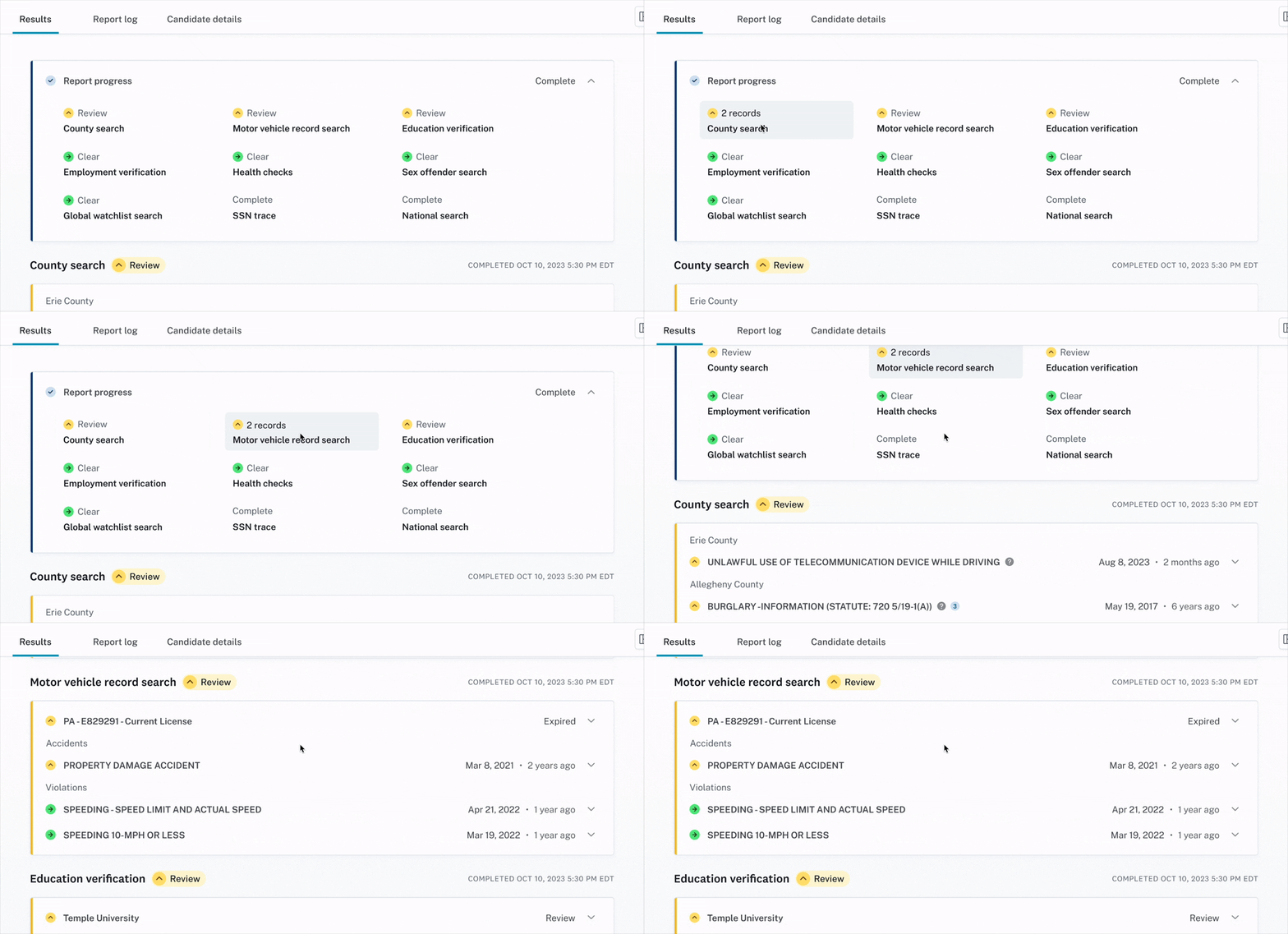
Hover over status tiles to preview results; click to scroll
Key decision #2
Report summary provides quick access to details
The report summary goes a layer deeper, telling users whether all components of a report are complete and whether anything warrants review (a record was found, work experience couldn't be verified, etc.). It's a snapshot of report results, and contains anchor links to corresponding content.
Previously, users had to scroll down the page and look out for any screenings with alerts.
Key decision #3
Overhauled IA streamlines workflows
Previously, each section and content type on the report page held similar weight and an unintuitive order of information.
This made it difficult for power-users to get straight to the information they need, and overwhelmed self-service users who didn't know where to look.
The page is laid out [in], basically, the opposite order of how we would prefer to consume information for our process.
— Adjudicator @ Shipt
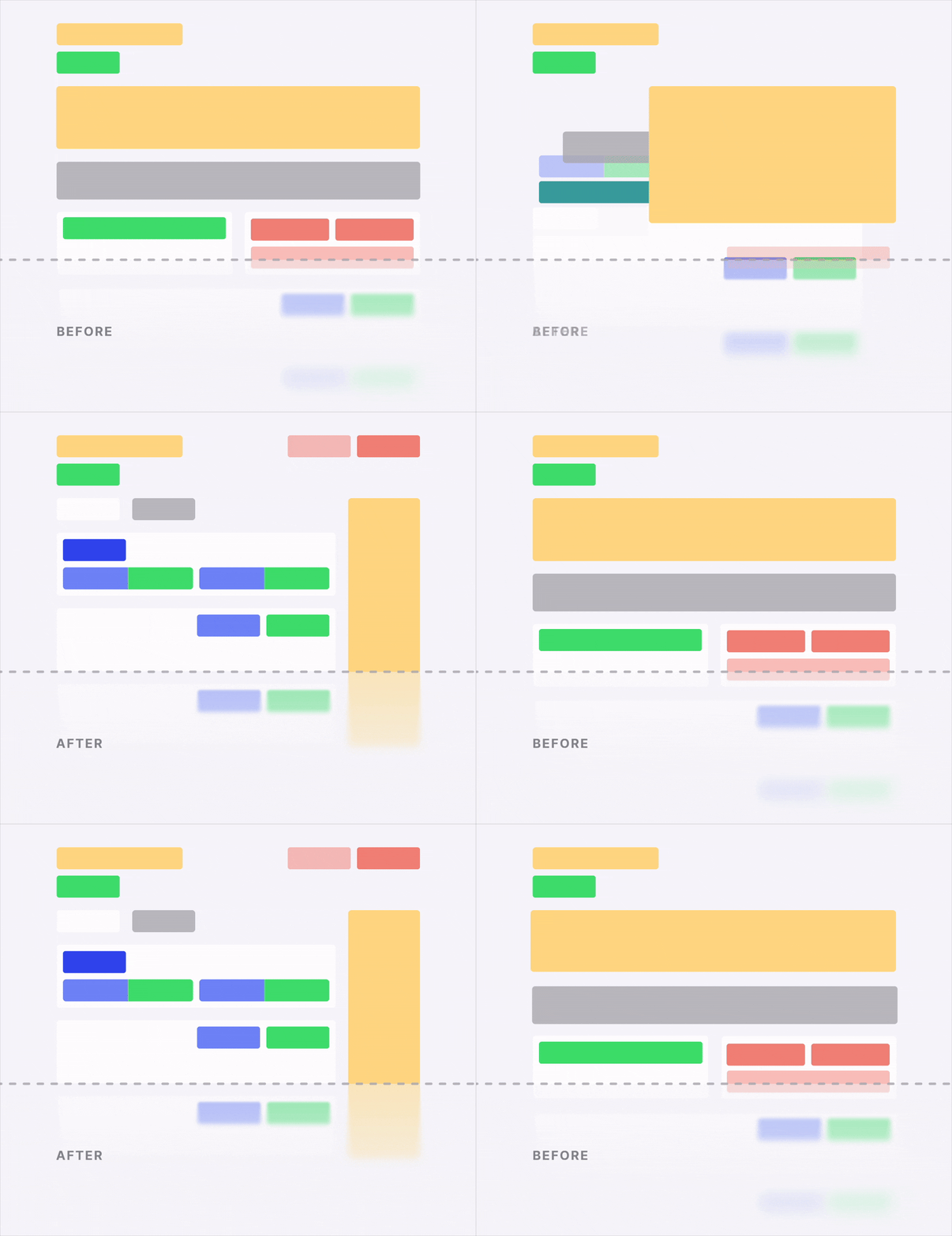
It's now easy to determine whether a report is ready for—or warrants—deeper review.
Candidate info • Status • Result • Action • Post-hire
Now, the primary page area contains report results; everything else is adjacent and broken out to reflect this.
- Fixed header: high-level report info like candidate name, report status, and available actions.
- Side panel: collapsible details about the candidate and report, which don't directly affect report results, but some customers prefer to reference in-context.
- Page tabs: layers to the report which are not results, like recurring check enrollment or the report log (paper trail).
- Modals: focused workflows or detailed views related to elements on the page.
Key decision #4
Modular frameworks scale to support any content
Each component of the report is designed to support all existing use cases and scale for future screenings or features.
Previously, new features were introduced by adding new sections to the page without regard to the broader experience impacts.
adjudication actions
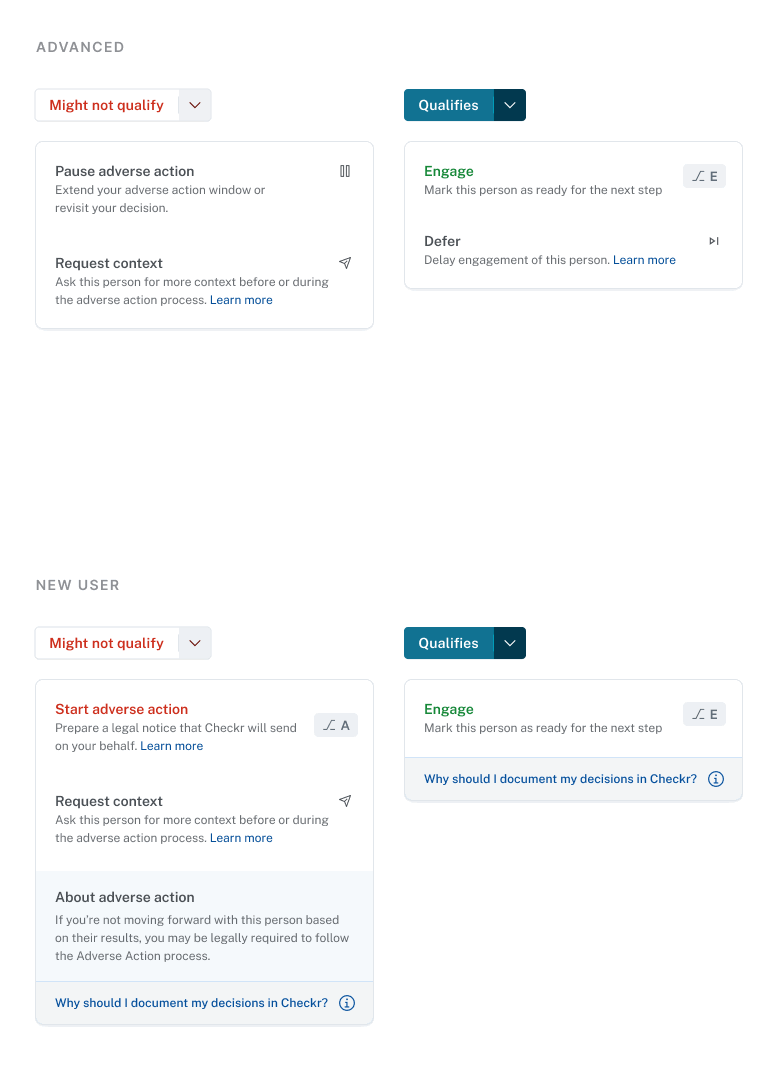
Actions support different report statuses and user guidance needs.
Displaying records
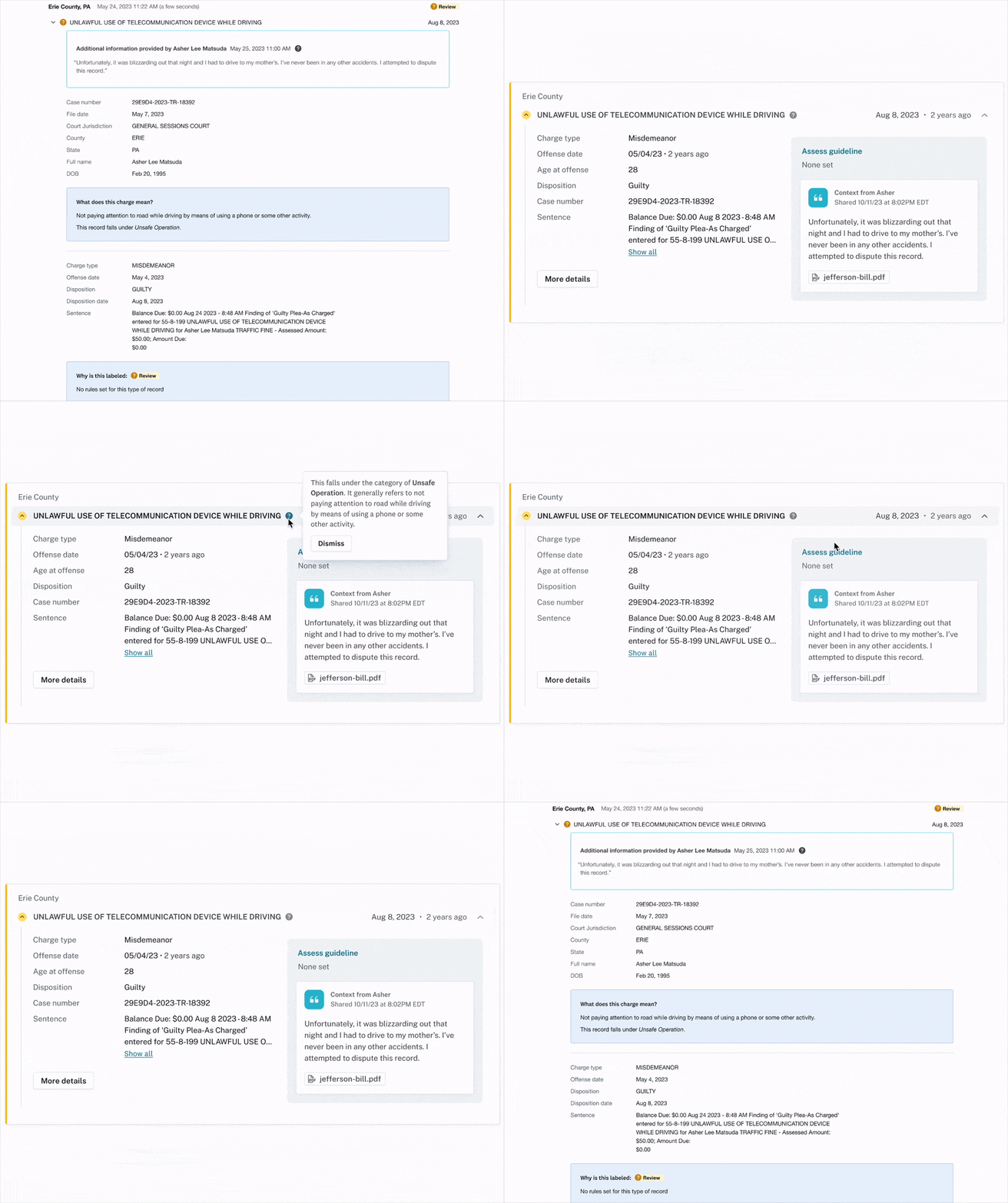
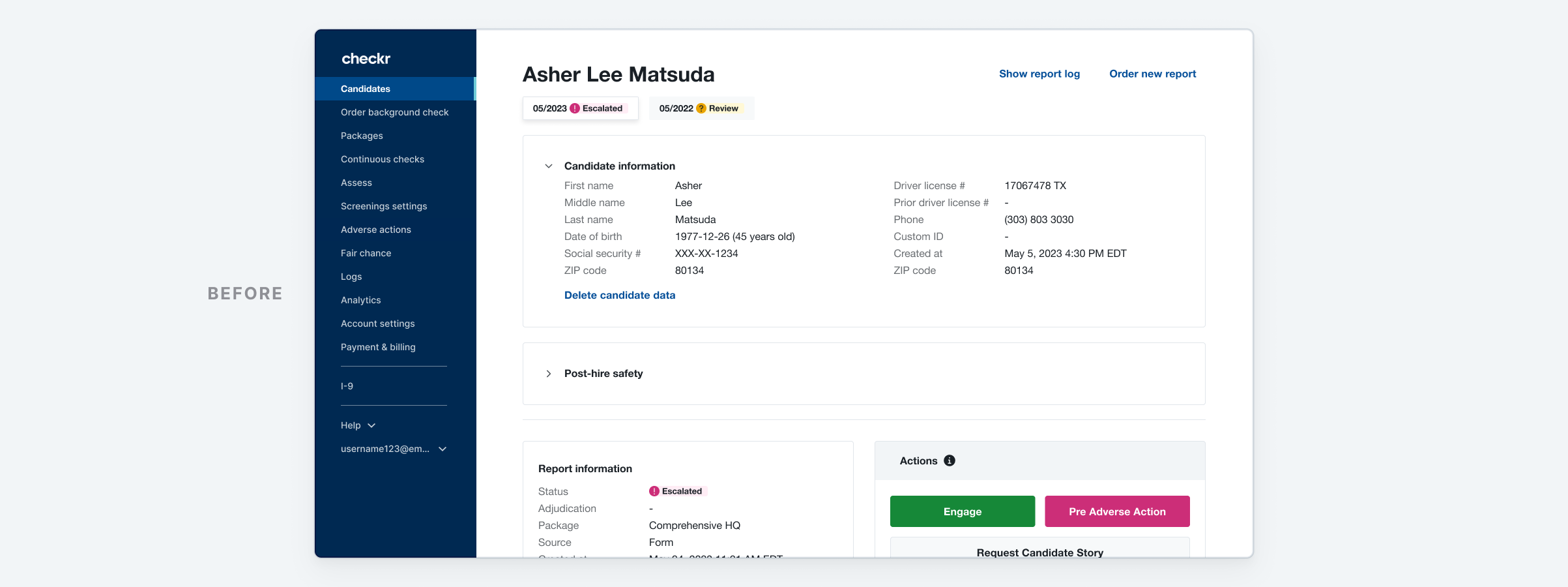
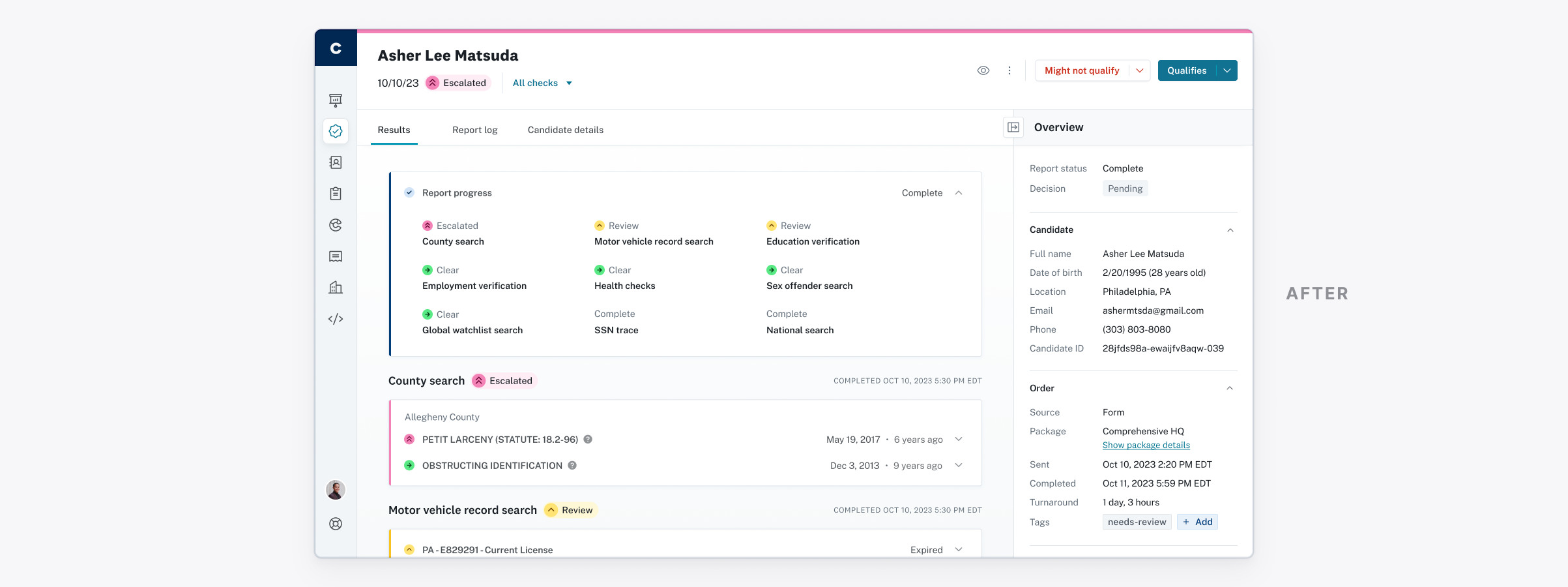
Before / After — Area taken up by a single record is reduced by re-grouping information, tucking rarely-referenced data into "More details," and using a two-column layout.
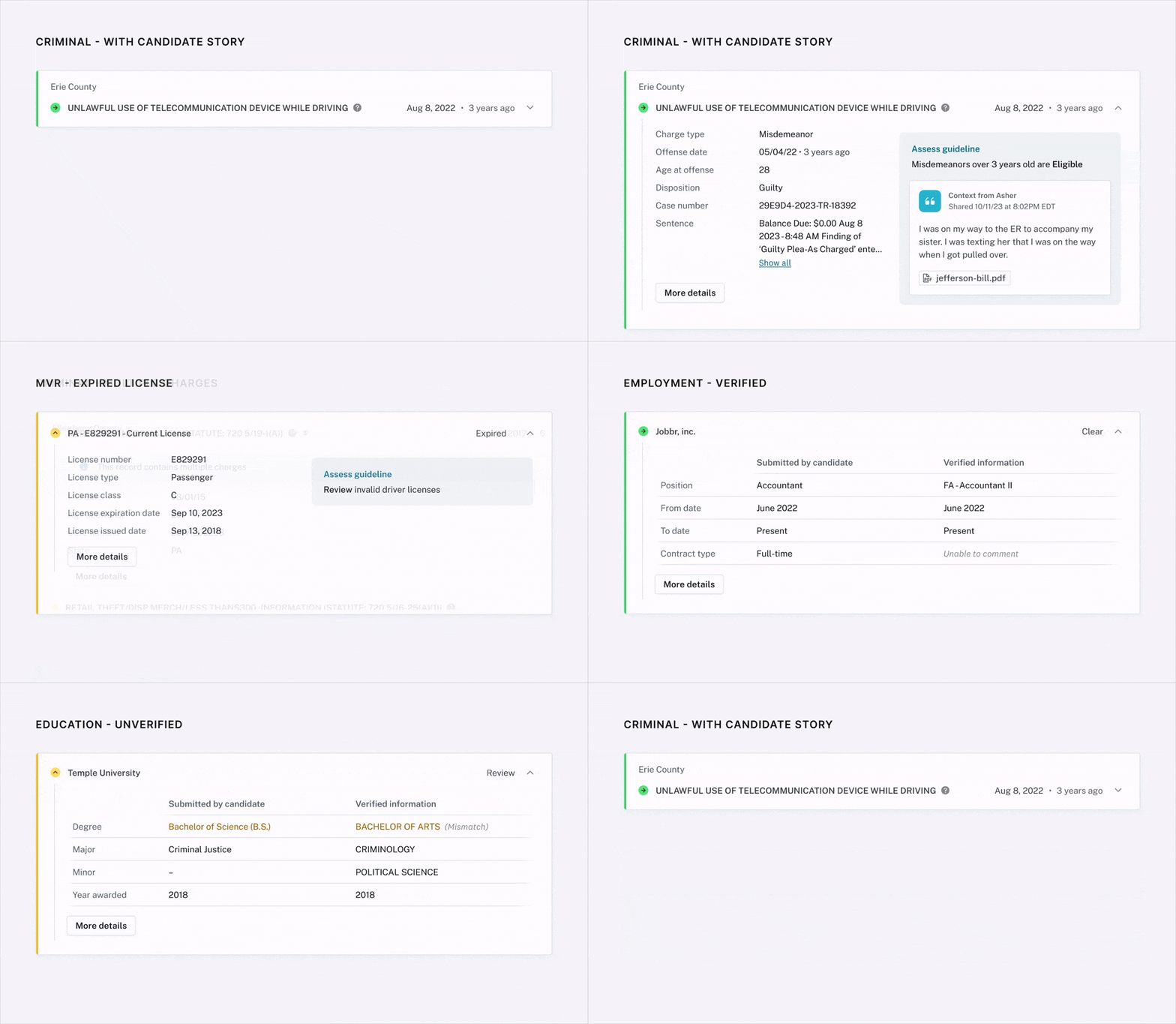
Each type of screening result leverages the same layout foundation and status treatment.
Execution
Project pause (but wait, there's more!)
It was difficult to prioritize this work with the focus it needed, but I continued to advocate for it by presenting and documenting:
- Research and discovery takeaways; how proposed designs address each customer pain point
- Options for team focuses/sequencing; associated tradeoffs
- Executive-focused business case for prioritizing
Ultimately, with some leadership shifts and a focus on immediate revenue, the report redesign was paused and the team was dissolved.
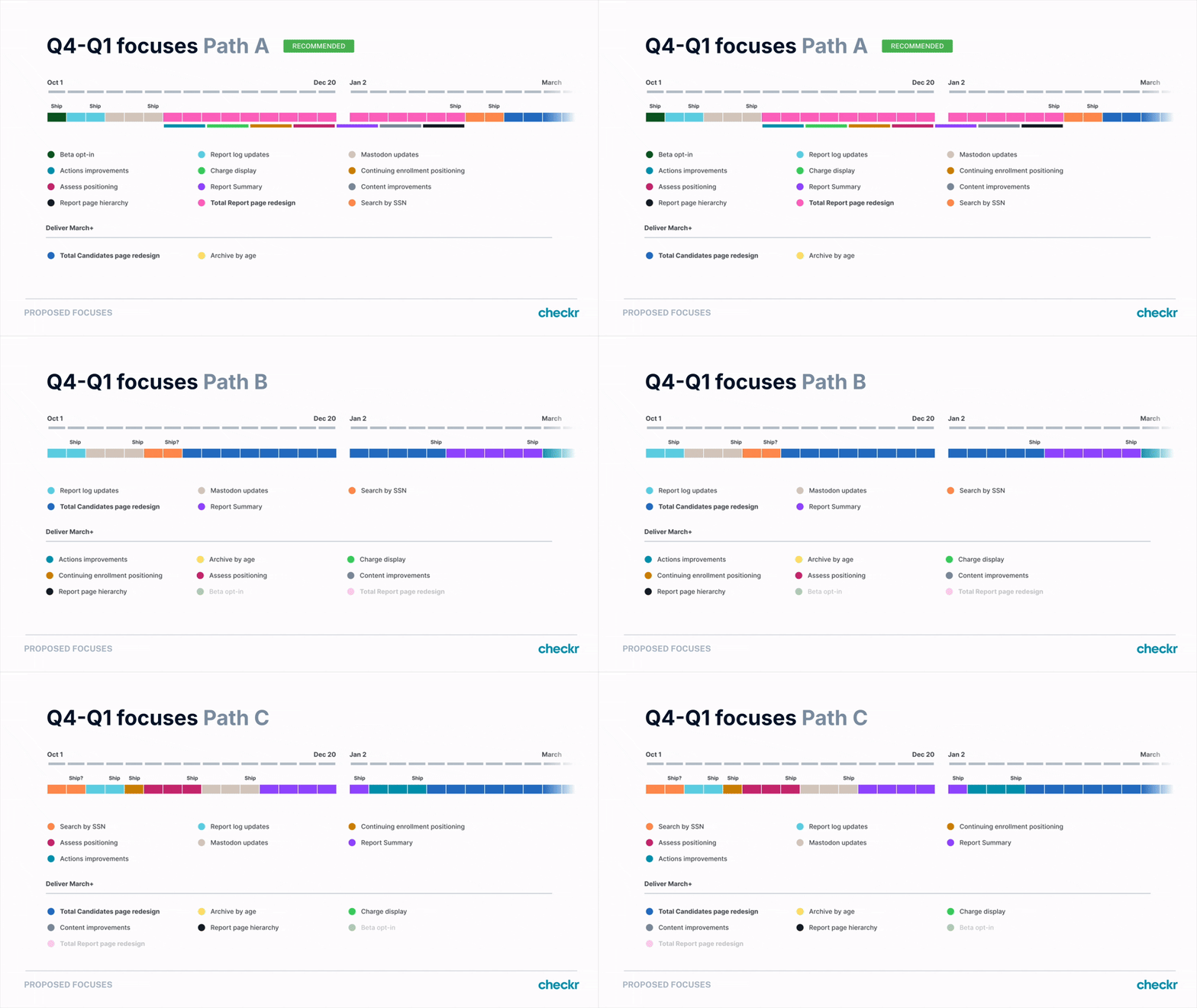
Visualizing the strategy of investing holistically in the report page rather than addressing customer needs piecemeal.
Making the case
$2.5MM / year
Estimated annualized profit impact, driven by cross-product adoption and reduced support contacts
Customer loyalty
Strengthen retention through education, helping more customers integrate with their HRIS/ATS and use post-hire products; delight customers with ease of use
Foundational strength
Decrease time to develop within the report page; decrease page load times; prepare for broader product evolutions (e.g. Case Management features)

I had worked with engineering to break down and sequence work. This was included in my handoff to the new team.
Resurrection & handoff
Early 2024 brought a new CPO, a 32% RIF, and a new Customer Dashboard Experience (CDX) product team. At this time, I had moved further into Growth, but transferred my knowledge and Figma files to a fellow designer on CDX.
The new team was able to hit the ground running on development—releasing the first phase of updates within a quarter of forming—thanks in part to the pre-work I'd done.
Results
A brief disclaimer
While I outlined a handful of metrics by which to measure success of this redesign, the work required to measure and report those metrics was not prioritized by the team who took it over.
Known impact:
2x post-hire adoption —
Re-checks surged once the section was moved into its own tab on the report page.
This section was previously near the top of the page, but it didn't align with users' immediate jobs to be done. It became white noise.
Hypothesis: Moving post-hire to a broken out tab increases awareness and curiosity because it's no longer in the way.
7+ system-level design updates — This page propelled design enhancements to product as a whole.
In conjunction with the redesign, I drove significant design system updates, including:
- Product-wide audit and updates to use new color tokens
- Product-wide audit and updates to use new text style tokens
- Redesigned buttons + split-action variant
- New layout paradigms (fixed header, collapsible side panel)
100% rollout —
All customers are using the new report page.
Because the research and design process involved all types of customers, it's been working for everyone.
Takeaways
Get into the weeds
I didn’t shy away from digging deep in conversations with devs, customers, and SMEs to understand their “gotchas”. This led to delivering more extensible designs with edge cases baked in.
leading is fulfilling
I was happy to see another designer and team execute and expand on work I was invested in.
but first, foundations
Design system and IA-level updates/decisions continue to serve us throughout the dashboard.
Let's connect

